Send a trip your client can explore, not a PDF they skim.
You spend two hours on a proposal. Your client opens the PDF on a phone, pinches to zoom, finds the price and closes it.
Start for FreeRome and the Amalfi Coast, 8 nights
Nine days, three hotels and a boat day to Capri. Open Trip details to see three season prices, what is included, the deposit and the cancellation terms.

Rome and the Amalfi Coast
Rome · Amalfi Coast
9 days
12 to 20 May 2027
From GBP 3,450 per person
Eight nights, three bases. Open each day to see where you sleep and what you see.
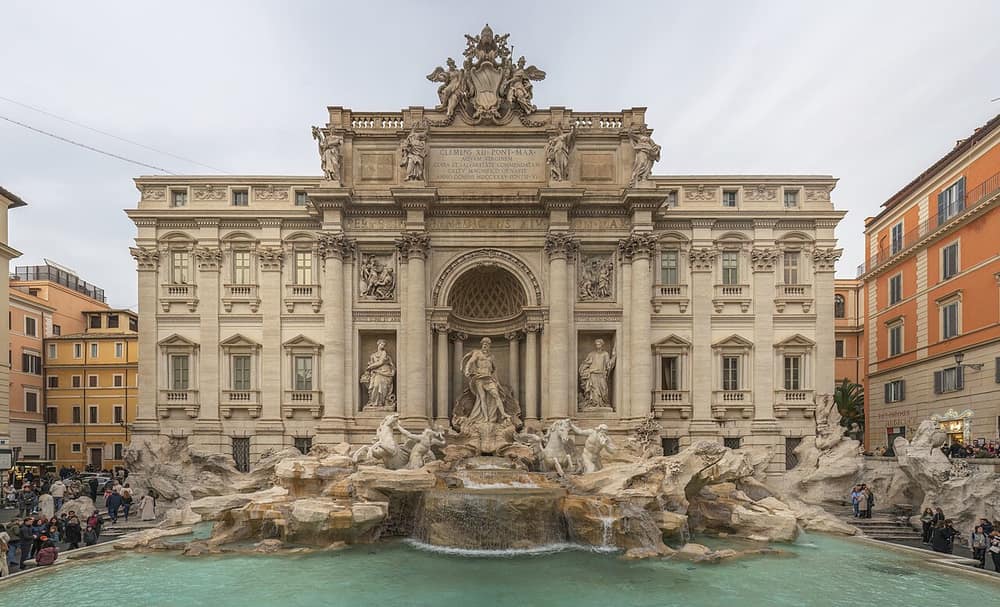
A sample trip. The agency, the prices, the bank details and the phone number are made up, and nothing is called or sent.
What it does for an agency
01
It puts the price beside the trip
Add up to 8 price rows, for example one for each season. Under them sit the Included and Not included lists and your cancellation terms. The client reads them on one screen, in the order you chose.
02
It shows every hotel where it stands
Each hotel and place has a Map button and a Street view button. Your client sees how far the hotel is from the Spanish Steps, then looks down the street outside the door.
03
It tells you the link was opened
Your list of links shows the views of each one over the last 30 days. You know if the proposal has been opened before you pick up the phone to follow up.
04
It brings the reply back to you
The link has a WhatsApp button and a Call button with your number. The WhatsApp message starts with the name of the trip, so you know which proposal the client means.
05
It answers the deposit question
A Payment section shows the total, the deposit, the date the balance is due and your bank details, with a Copy button on the account number. The client pays you directly. Portal Jump does not handle payments.
How it works
Step 1
Build the trip
Type the trip name, add the days, and search for each hotel and place. Choose your own photos or pick from Wikimedia Commons. A phone preview beside the editor shows the link as you work.
Step 2
Publish it
Press Publish. The trip gets its own address. Add a passcode or a last day if you want either.
Step 3
Send the link
Paste it into an email, a text or WhatsApp. Your client taps it and the trip opens in the browser.
Which plan fits
We suggest
Pro
Pro is $39 a month, with 100 live trip links and 3 seats. It includes unlimited client itinerary links, on top of the 100 live links. It works with Claude and ChatGPT, up to 600 actions a day. You can start on Free with 1 live link and move up when you need to.
An agency has more than one person selling and more than a handful of proposals out at once. It also needs links for clients who have already booked.
See every plan ›Weighing this against another tool? See the Travefy and Safari Portal alternatives.
Questions
Does my client need an app or an account?
- No. The link opens in the browser of any phone or computer. If you want to keep it private, set a passcode of 6 characters or more and tell your client what it is.
Can I change a proposal after I have sent it?
- Yes. Edit the trip and press Publish changes. The address stays the same, so the link your client already has shows the new version. Until you publish, they keep seeing the old one.
Can I reuse a trip for the next client?
- Yes. Duplicate the link and change what differs. Every hotel and place you have used is kept in your Library, with its photos, ready for the next trip.
Does Portal Jump take the booking or the payment?
- No. It shows the trip. The booking, the contract and the money stay between you and your client. The Payment section only shows your details.
Where do the photos come from?
- You upload your own, or you search Wikimedia Commons inside the editor. A Commons photo shows its author and licence on the link, as the licence asks.
What happens to the link when the trip is over?
- Set a Live until date and the link shows that the trip has ended after that day. You can also pause any link yourself. A paused link does not count towards your live links.