The trip your client opens right inside WhatsApp.
Your client asked on WhatsApp. You answer with a PDF they have to download, open in another app and zoom. Then the chat moves on and the file is forty messages up.
Start for FreeBali from Australia
Five days sold to travellers flying from Perth, Sydney or Melbourne, with twin share, school holiday and child prices. Tap WhatsApp or Call in Trip details: in this sample nothing is sent.

Five days in Bali
South Bali · Ubud
5 days
Fly from Perth, Sydney or Melbourne
From AUD 1,480 per person
G'day. Here is your Bali trip. Message us on WhatsApp with any question, day or night.
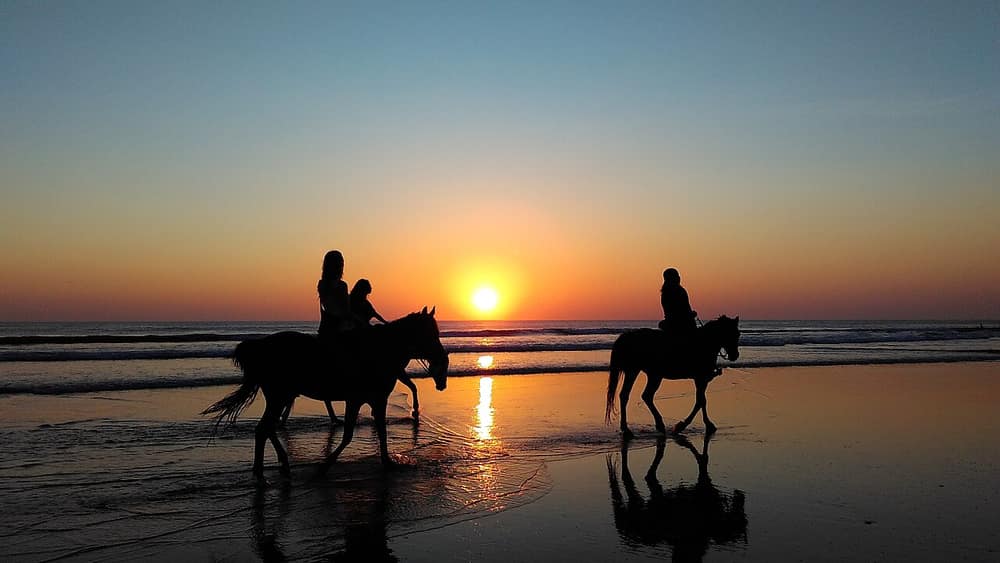
A sample trip. The agency, the prices, the bank details and the phone number are made up, and nothing is called or sent.
What it does in a WhatsApp chat
01
It shows as a card, not a paperclip
Paste the link into a chat and WhatsApp draws a card with your cover photo, the trip name and your agency name. The client sees Bali before they tap.
02
It opens with one tap
The trip opens in the browser from the chat. There is no file to download and no viewer to choose.
03
It sends the client back to your chat
The WhatsApp button on the link opens a chat with your number. The first message is already written and names the trip, and the option and date if they picked one.
04
It can use a different number for each trip
Your agency has one WhatsApp number in its settings, and any link can carry its own. The Bali desk and the Japan desk each get their own enquiries.
05
It is easy to pass on
A client forwards the link to a partner or a parent like any message. They see the same trip and the same buttons.
How it works
Step 1
Add your WhatsApp number
Enter it once in international format, with the country code. Every sales link then shows WhatsApp and Call buttons.
Step 2
Build and publish the trip
Choose a strong cover photo, because that is what the card in the chat will show.
Step 3
Paste the link in the chat
Wait a second for the card to appear, then send. Type your own line above it if you like.
Which plan fits
We suggest
Starter
Starter is $16 a month, with 20 live trip links and 1 seat. Client itinerary links count as live links. It works with Claude and ChatGPT, up to 200 actions a day. You can start on Free with 1 live link and move up when you need to.
An agency that sells in chat sends many short proposals. This plan gives room for them and puts your logo on the card and the cover.
See every plan ›Weighing this against another tool? See the Travefy and Safari Portal alternatives.
Questions
Do I need WhatsApp Business or its API?
- No. The button uses an ordinary WhatsApp link to your number. It works with a personal or a Business account, and Portal Jump never connects to your WhatsApp.
Does Portal Jump read or store the chat?
- No. The message is sent from your client's WhatsApp to yours. We count that the button was used, and nothing of what was written.
What does the card show for a private trip?
- For a link with a passcode, or a client itinerary, the card says "Your trip from" and your agency name. It leaves out the trip title, so nothing private shows in a group chat.
Does the same link work in other apps?
- Yes. The same card shows in iMessage, Facebook, LinkedIn, X and Slack, and the link opens from any email or text message.
What if a client has no WhatsApp?
- The Call button dials the same number. If you set no number at all, the link shows a short contact form, and what the client writes arrives in the Leads list in your account.
Can I change the photo on the card?
- Yes. The card is made from the cover photo. Change the cover and press Publish changes, and the card is made again. A chat that has already drawn the old card may keep it.